Table of Contents
Guardian Duo Wiring Guide
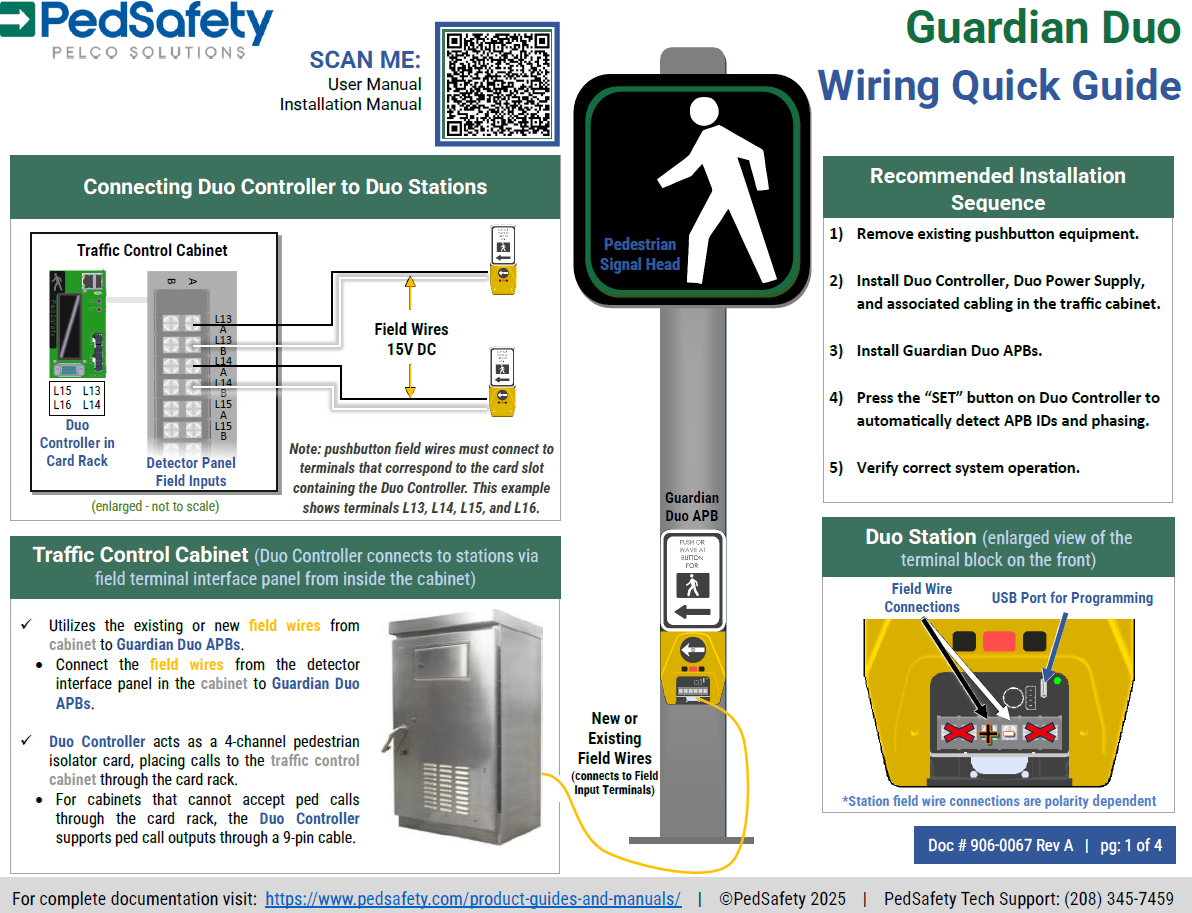
Guardian Duo APS wiring overview: Uses existing two-wire field wiring for power and communication. Supports up to 16 stations across four channels. Verify all connections before powering system and performing station discovery.

Table of Contents

Overview
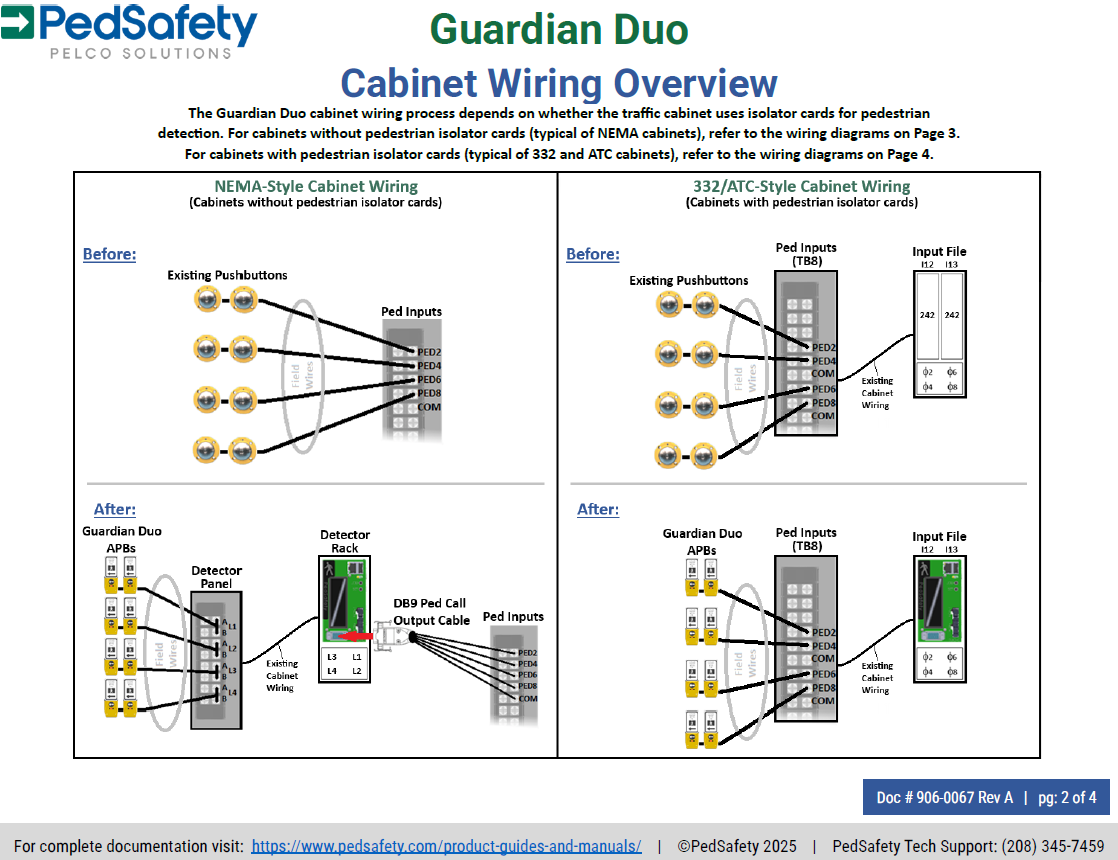
This guide provides wiring information for the Guardian Duo Accessible Pedestrian Signal (APS) system. The Guardian Duo system operates over the existing field wiring typically used for pedestrian push buttons, allowing installation without additional communication cables.
The system connects three primary components:
• Guardian Duo Accessible Push Button (APB)
• Duo Controller
• Duo Power Supply
Proper wiring between these components is required for correct system operation.
System Wiring Architecture
The Guardian Duo system uses a two-wire communication and power system between the traffic cabinet and pedestrian stations.
These two wires carry:
• Power to the push button stations
• Communication signals between the stations and the controller
Multiple stations can share the same wiring channel through the Duo Controller.
Each controller channel supports:
• Up to 4 push button stations
The Duo Controller supports:
• Up to 16 total stations across four channels
Traffic Cabinet Wiring
Install the Duo Controller and Duo Power Supply inside the traffic signal cabinet.
Duo Power Supply Connections
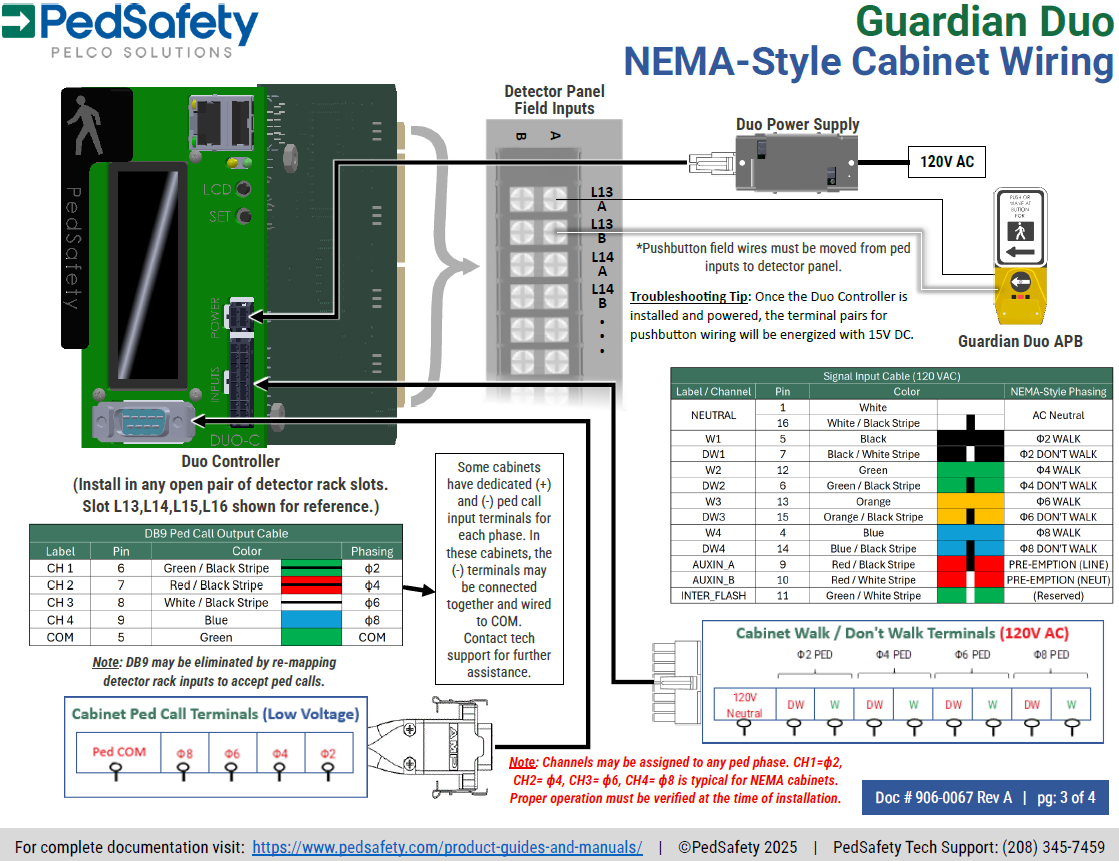
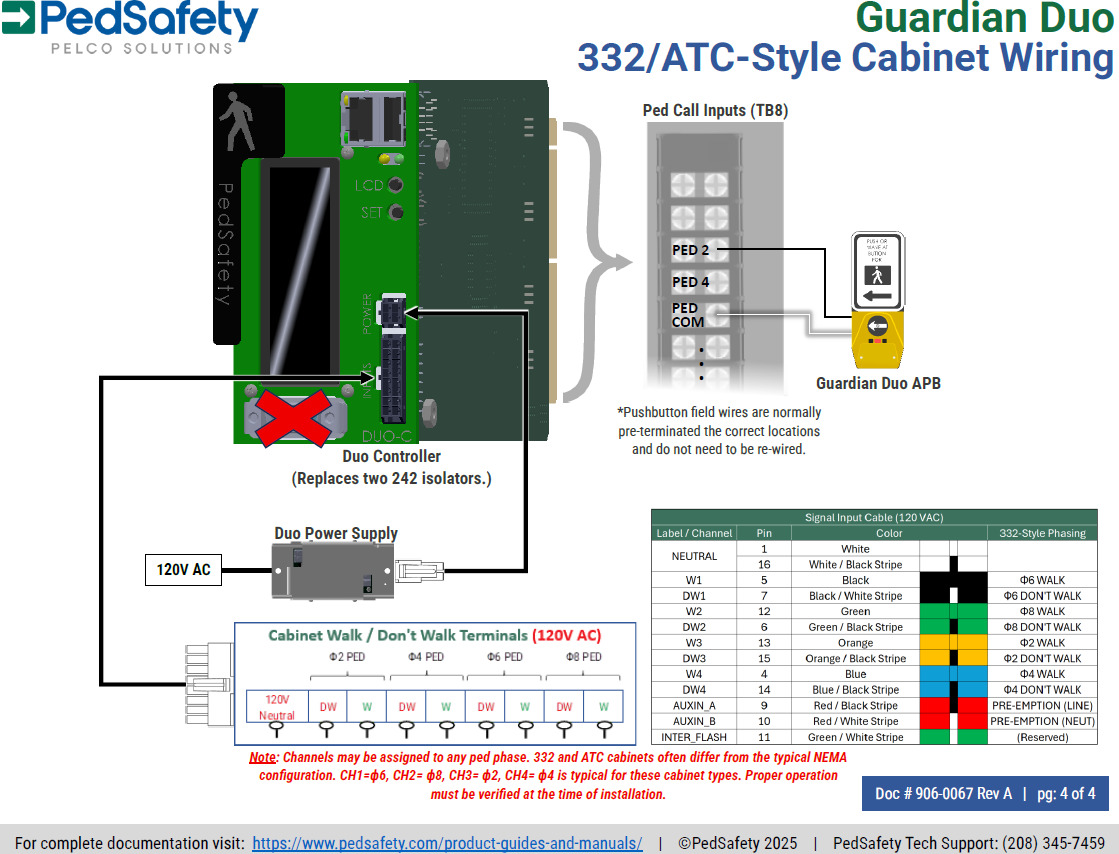
The Duo Power Supply provides DC power for the Guardian Duo system.
Input Voltage
• 89–134 VAC
Output Voltage
• 16 VDC nominal
The power supply output connects directly to the Duo Controller.
Duo Controller Connections
The Duo Controller provides connections for:
• Power input from the Duo Power Supply
• Pedestrian signal inputs from the traffic controller
• Field wiring connections to the Guardian Duo stations
• Optional Ethernet connection for monitoring
Each channel on the Duo Controller supports multiple stations connected through the field wiring.
Pedestrian Signal Connections
The Duo Controller receives pedestrian signal inputs from the traffic controller.
These inputs include:
Walk Input
• Indicates the active pedestrian walk phase
Don’t Walk Input
• Indicates the clearance phase
These signals allow the Guardian Duo stations to provide audible and vibrotactile pedestrian indications.
Field Wiring to Push Button Stations
Guardian Duo stations connect to the Duo Controller using the existing field wiring typically used for pedestrian push buttons.
Field Wiring
• Two conductor cable
The field wiring carries both system power and communication signals.
Multiple stations can share the same field wiring channel.
Station Wiring
Each Guardian Duo station connects to the field wiring using the two-wire connection provided at the station.
Field Wiring Connections
• Two-wire communication and power connection
Ensure wiring polarity is correct and that connections are secure before powering the system.
Wiring Verification
After wiring is complete, verify all connections before powering the system.
Check the following:
• All cabinet wiring connections are secure
• Field wiring connections are properly terminated
• Push button stations are connected to the correct controller channel
• Power supply wiring is properly connected
After verification, power the system and perform station discovery.
Station Discovery
After wiring is complete and the system is powered:
Press the SET button on the Duo Controller.
The controller will automatically:
• Detect connected stations
• Assign station IDs
• Associate stations with pedestrian phases
Allow the discovery process to complete before testing the system.
Downloads
Was this helpful?
Guardian Duo Installation Guide
Guardian & Guardian Wave Installation Guide